♿ Professional Accessibility Widget
Assistive tools that help your visitors personalize their experience — larger text, higher contrast, reading aids, and more
📱 Widget Details
Widget URL: https://app.accesswiser.com/
⚖️ Accessibility Standards We Support
🇺🇸 ADA & Section 508
Built to support your accessibility efforts toward US requirements
📋 WCAG 2.2
Helps you work toward Web Content Accessibility Guidelines AA
🌍 EN 301 549 / AODA
Aligned with international accessibility standards
🧩 Part of your program
An assistive layer that complements audits and source-code fixes
This widget provides assistive personalization tools. It does not by itself make a website WCAG, ADA, or Section 508 compliant — full conformance requires auditing and remediating your site, and automated tools detect only a portion of possible issues.
✨ Assist Features
Everything in this section belongs to Assist, the optional visitor personalisation half. Assist is off by default, so a fresh install shows none of it — including on this page. It is switched on per account from the dashboard. None of it fixes the underlying page; it only lets a visitor adjust how the page is presented to them.
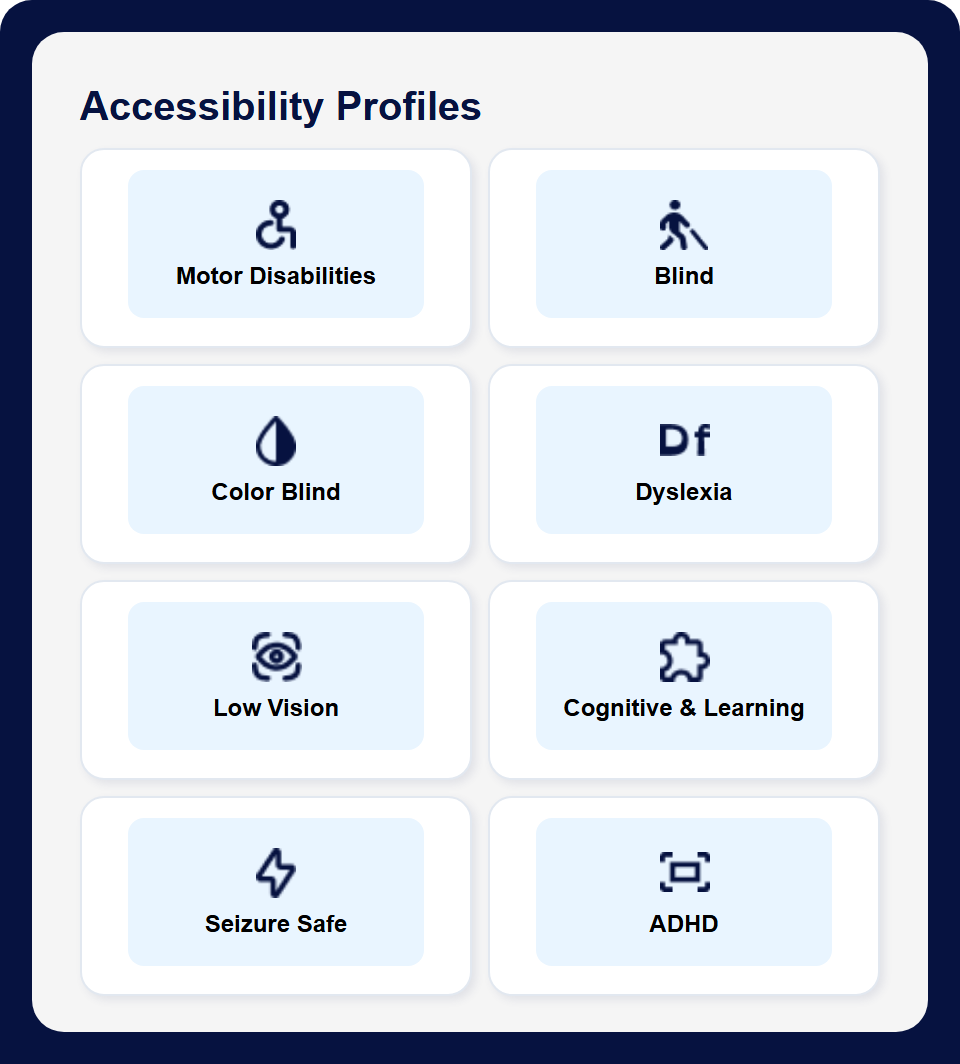
🧑🦯 Accessibility Profiles
- ♿ Motor Disabilities: Pauses animation and hides images
- 🧑🦯 Blind: Highlights links and headings. It starts no speech of its own and forces no cursor change — you keep using your own screen reader
- 💧 Color Blind: High contrast with colour saturation raised to 150%. The Deuteranopia, Protanopia and Tritanopia filters are the separate Color Vision Support control below
- 📖 Dyslexia: Switches on the dyslexia-friendly typeface and pauses animation
- 👁️ Low Vision: Readable typeface, larger cursor, animation paused
- 🧩 Cognitive & Learning: High contrast, one step of larger text, animation paused
- 🧠 Seizure Safe: Pauses animation and halves colour saturation
- 📏 ADHD: Reading mask, animation paused, colour saturation halved
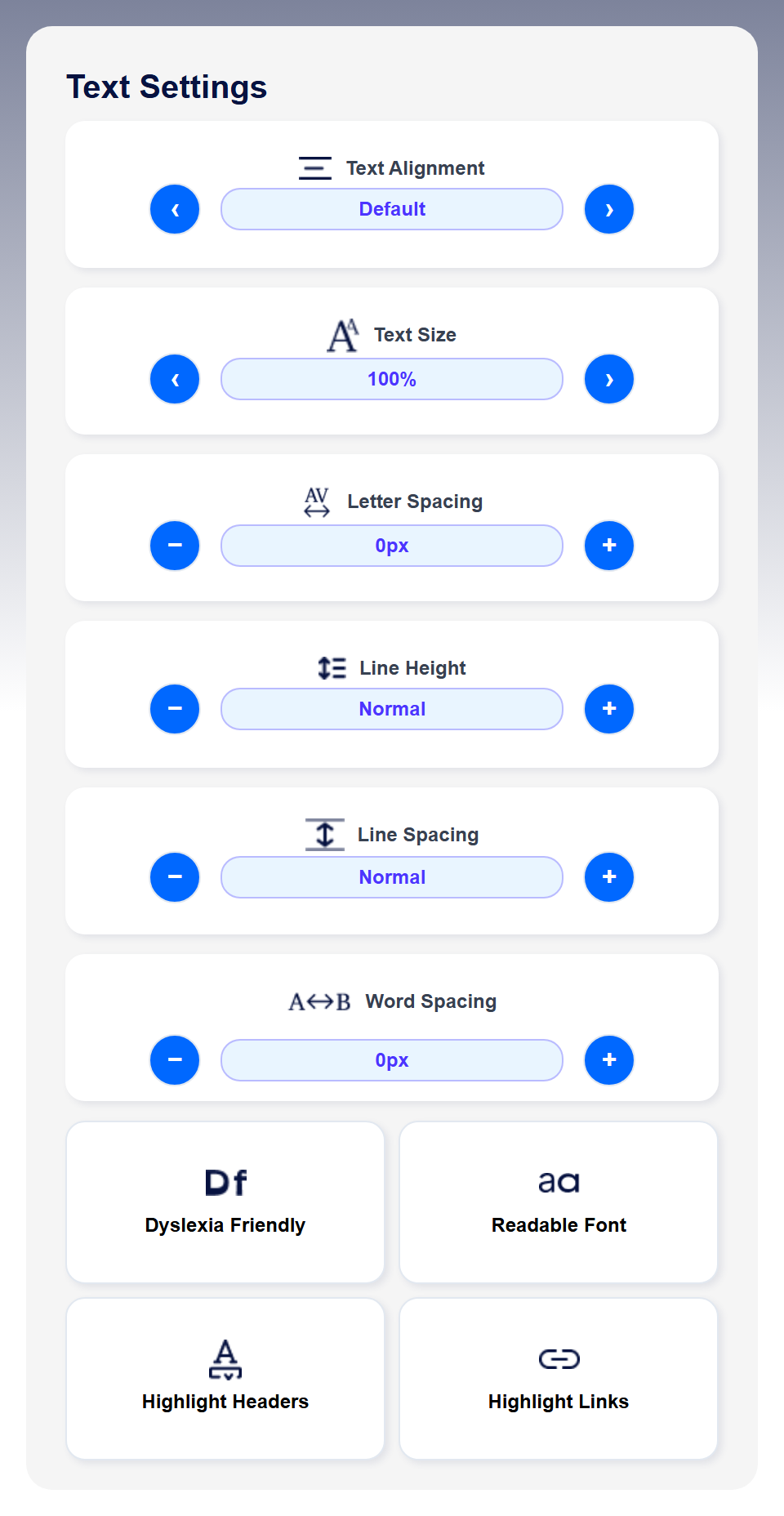
🔤 Advanced Text Controls
- 📏 Text Scaling: 100%, 110%, 120%, 130%, 140% sizes
- 📐 Line Spacing: 1x, 1.25x, 1.5x, 1.75x, 2x options
- 📏 Line Height: Normal, 1.25x, 1.5x, 1.75x, 2x
- 🔠 Letter Spacing: 0px to 4px adjustable spacing
- 📝 Word Spacing: 0px to 8px customizable gaps
- 📋 Text Alignment: Left, Center, Right, Justify, Default
- 😶🌫️ Dyslexia-Friendly Fonts: OpenDyslexic font family
- 𝐀 Readable Fonts: High-legibility typography
🎨 Visual & Color Enhancements
- ☀️ Light Mode: Bright, clean interface
- 🌙 Dark Mode: Eye-friendly dark theme
- ⚫ High Contrast: Maximum readability mode
- 🌈 Saturation Control: 0% to 200% color intensity
- 👁️ Color Vision Support: Filters for color blindness
⌨️ Navigation & Interaction
- 🔗 Highlight Links: Makes links on the page clearly visible
- 📝 Highlight Headers: Emphasises page headings (H1-H6)
- ⏸️ Stop Animations: Best-effort. It stops CSS animation, pauses video, and holds animated GIFs on a single frame. It cannot reach animation inside cross-origin embeds, an image another site serves without permission to read it, or movement drawn by the page's own code, so it does not stop everything — the panel names what it could not stop
- 🖼️ Hide Images: Reduces visual clutter
- 👆 Big Cursor: Enhanced cursor visibility
- 🔊 Read Aloud: Off unless you turn it on. Once on, hold Alt — Option on a Mac — and click any text to hear it. An ordinary click does nothing, so it never competes with a screen reader. Nothing is ever spoken unprompted
📖 Reading Assistance
- 🎭 Reading Mask: Focuses attention on specific content
- 📏 Reading Guide: Horizontal line to track reading
🌐 Multi-Language Support
- 🗣️ Built-in Translator: Supports multiple languages
- 🌍 Global Accessibility: Works with international content
⚙️ Technical Features
- 💾 Settings Persistence: Remembers user preferences
- 📱 Mobile Responsive: Optimized for all devices
- 🎯 Non-Intrusive: Widget styling protected from page changes
- 🔄 Easy Reset: One-click return to default settings
- 📍 Flexible Positioning: Left or right side placement
💼 Business Benefits
Better Usability
Help more visitors read and navigate your site comfortably
More Visitors Served
Around 15% of people live with a disability. Reading and display aids help some of them use your site more comfortably
Reports From Real Visitors
Someone who gets stuck can tell you what stopped them, with the page address attached — and Monitor collects it without changing your page
Enhanced UX
Improves usability for all users, not just those with disabilities
Easy Integration
Just 2 lines of code - works with any website or CMS
Zero Maintenance
Self-contained widget requires no ongoing updates
🧑🦯 Accessibility profiles
A screenshot of the widget's own panel, captured from the build in this repository.
🔤 Text settings
The same panel, further down.
🎥 The panel in use
A silent screen recording, eighteen seconds, captured from the build in this repository. A sample article sits on screen at its normal settings. The panel opens; text size is stepped up three times and the article's type visibly grows; letter spacing and line height are opened out; the Dyslexia Friendly typeface is switched on; High Contrast turns the page white-on-black, and the panel closes. The clip ends there, with the adjustments still applied. The recording carries no audio track, so there is no speech or sound to caption.
🚀 Easy Implementation
Two lines of code, and no changes to your page. Monitor starts sending anonymous, aggregate page views to your dashboard and gives blocked visitors a way to tell you what stopped them.
🌐 Any Website
Works with HTML, WordPress, Shopify, Squarespace, and more
⚡ Wix Websites
Perfect integration with Wix's drag-and-drop builder
window.accessibilityConfig = {
apiKey: '<YOUR_API_KEY>',
apiUrl: 'https://app.accesswiser.com'
};
</script>
<script src="https://widget.accesswiser.com/widget.js"></script>
<accessibility-widget></accessibility-widget>
🧪 Live Demo
AccessWiser Monitor is running on this page. Monitor makes no changes to the page itself — it records anonymous, aggregate page views and renders the barrier-reporting form below, which stays inside the widget's own Shadow DOM.
Assist — the optional visitor personalisation half (profiles, text and colour adjustments, reading aids, Read Aloud, translation) — is off for this site, so there is no launcher and no panel. Assist is off by default and is switched on per account from the dashboard.